Inside our work / Client case study
Fanzart PI: from Excel invoices to connected operations.
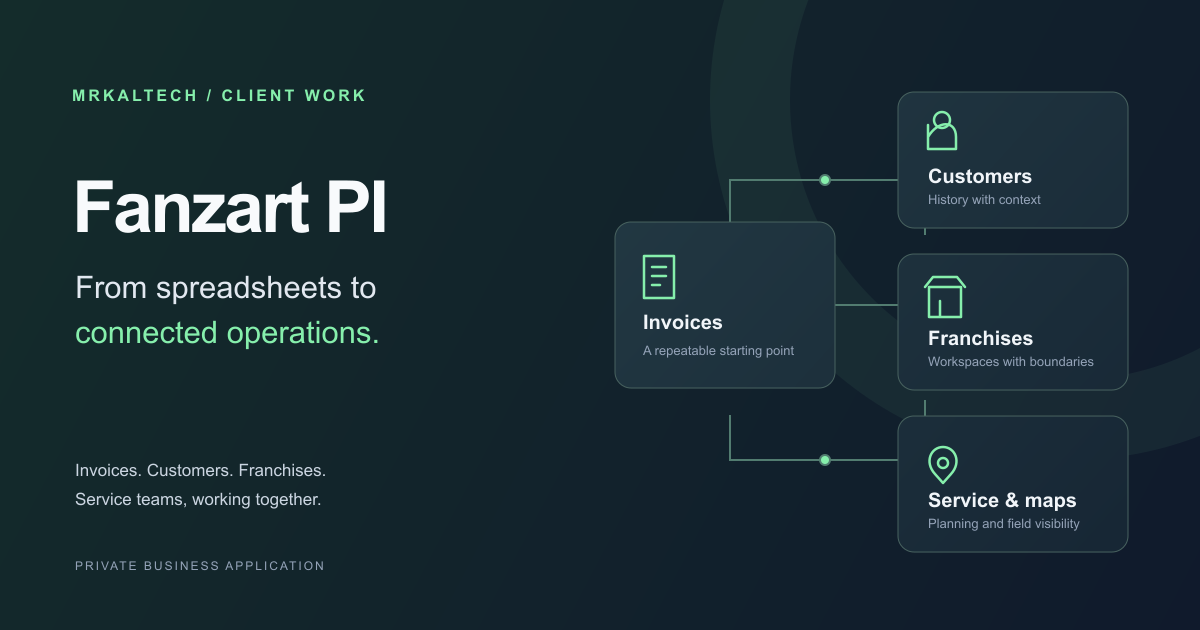
Fanzart, a designer fan business, needed a better way to create invoices. We replaced repetitive Excel work with a private application that connects sales, customer history, franchises, and service teams.
- Less repeated entry
- Reuse customer and product records across invoices and service work.
- Consistent documents
- Calculate amounts and generate documents from the saved record.
- Clearer follow-up
- Keep assignments, updates, and histories connected to the job.
01 / The starting point
The invoice was a document. The work around it was a process.
Before the portal, staff assembled invoices in Excel: entering customer details, adjusting line items, and checking the document. The client found this time-consuming and prone to user error. Our goal was to automate the repeated work while keeping prices, terms, and approval with the team.
We started with invoicing, then added customer history, partner workspaces, and service tools around shared records. An invoice’s customer and company information became useful context for the next task. That connection let the application grow beyond document creation.
Before / Excel
Rebuild the document.
Re-enter customer details, edit a template, check calculations, and locate the right file later.
After / Fanzart PI
Work from saved records.
Find a customer, choose products, review calculated totals, and export a consistent document.
02 / A repeatable invoicing workflow
Spend time on the sale, not the spreadsheet.
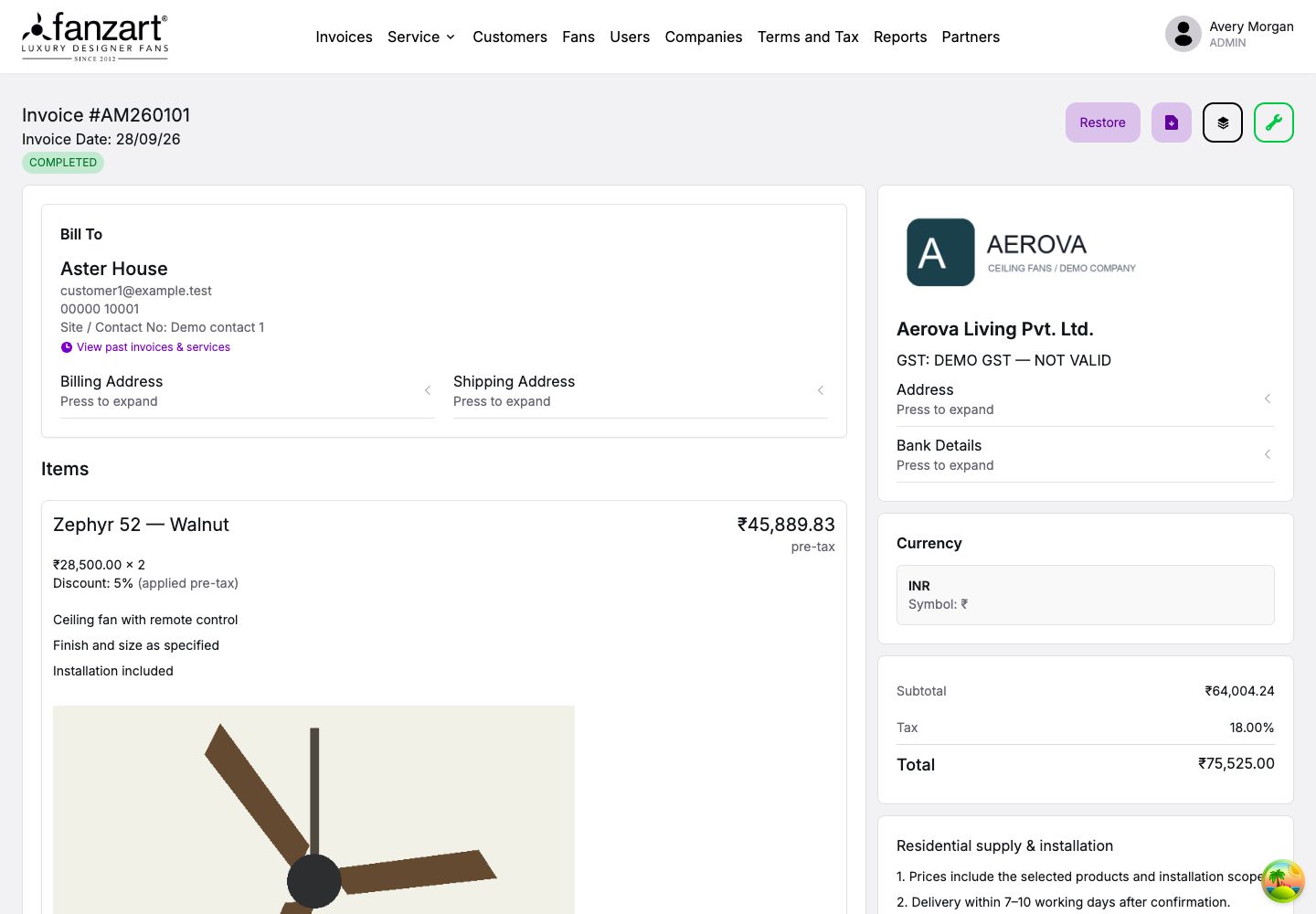
Staff find an existing customer, select the issuing company, and add products from the fan catalog. Saved details replace repeated copying between files, while quantities, prices, discounts, tax, terms, and remarks stay together on the invoice.
Application logic calculates the amounts, invoice numbering follows the workspace, and saved records are searchable. Staff can review the result and inspect earlier revisions when a detail needs explaining.
This reduces common sources of mistakes: repeated typing, manually maintained calculations, and inconsistent formatting. The team still checks customer details, prices, tax treatment, and commercial terms before sharing the document.
Generate the document from the record.
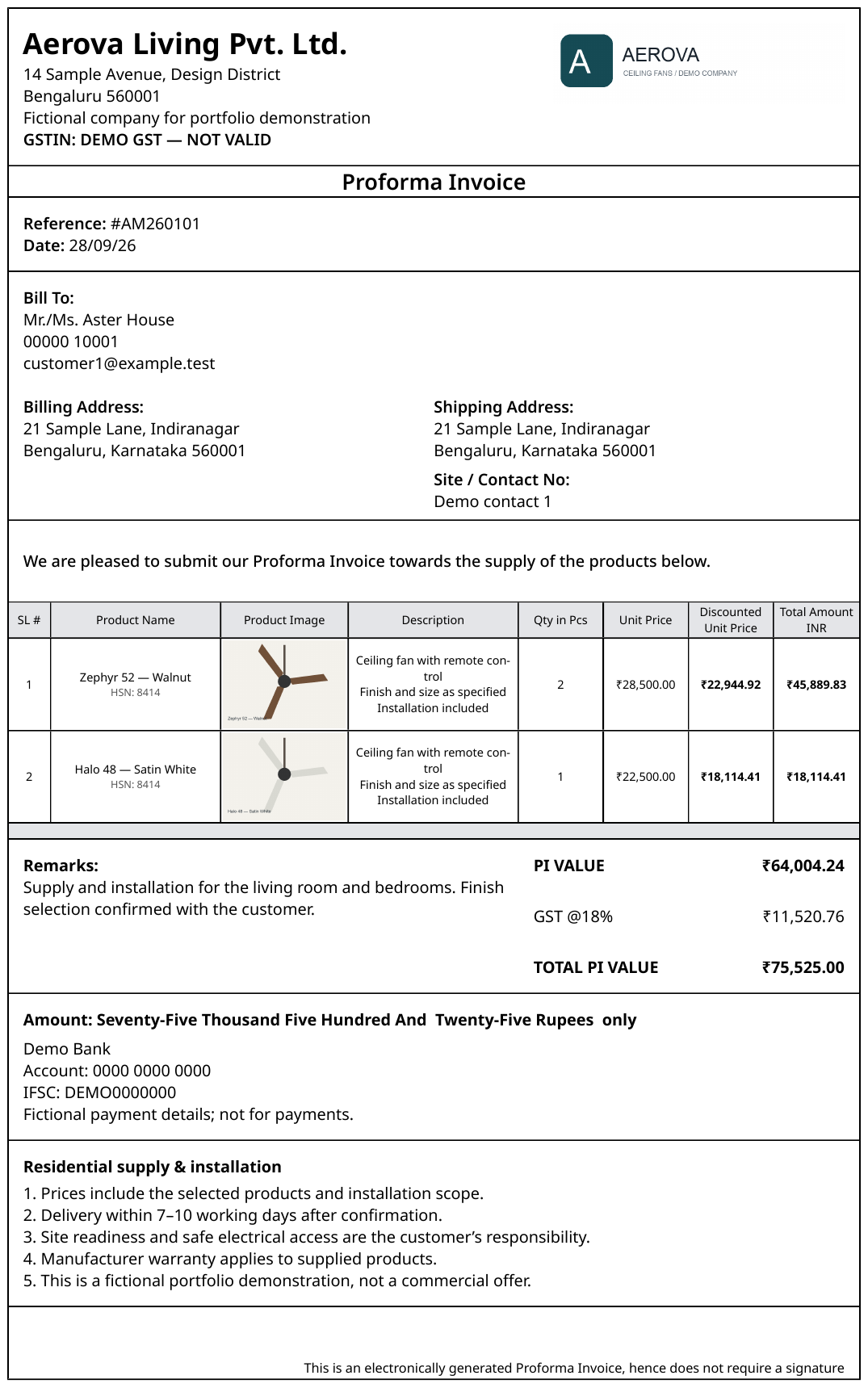
The saved record becomes a Proforma Invoice with company branding, customer details, products, totals, amount in words, bank details, and terms. Staff can preview and download the PDF, choose HSN code visibility and paged or pageless layout, or export to Excel. Service requests also have a printable service sheet.

03 / Customer continuity
The next conversation should start with context.
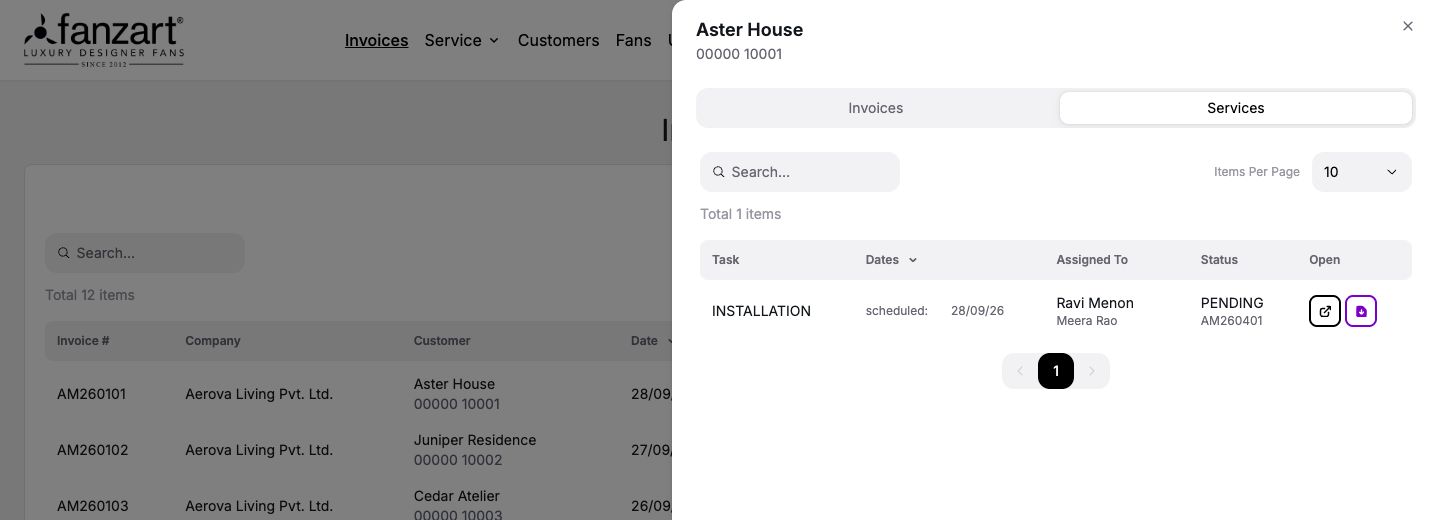
A customer record holds contact information, billing and shipping addresses, tax details, and a linked architect where relevant. Staff can open past invoices and, in the central workspace, service requests directly from a customer name.
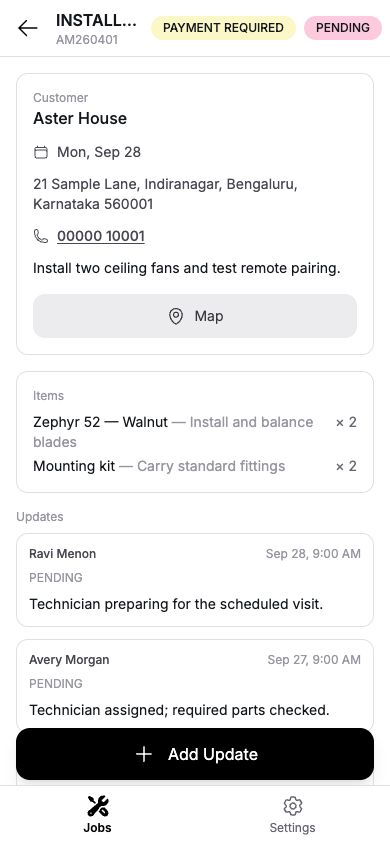
Consider Aster House, a fictional customer in our demonstration. After buying fans, they arrange installation. Staff can find the invoice in their history, create a service request using the customer record, and assign a technician. The job appears in the office’s service views and the technician’s mobile workspace; an installation photo and update can return to that same request.
At the next conversation, authorized staff can look up the fan models, previous visits, and latest notes before deciding what to do. The customer’s earlier work supplies context for the new request.
Pause when the customer may already exist.
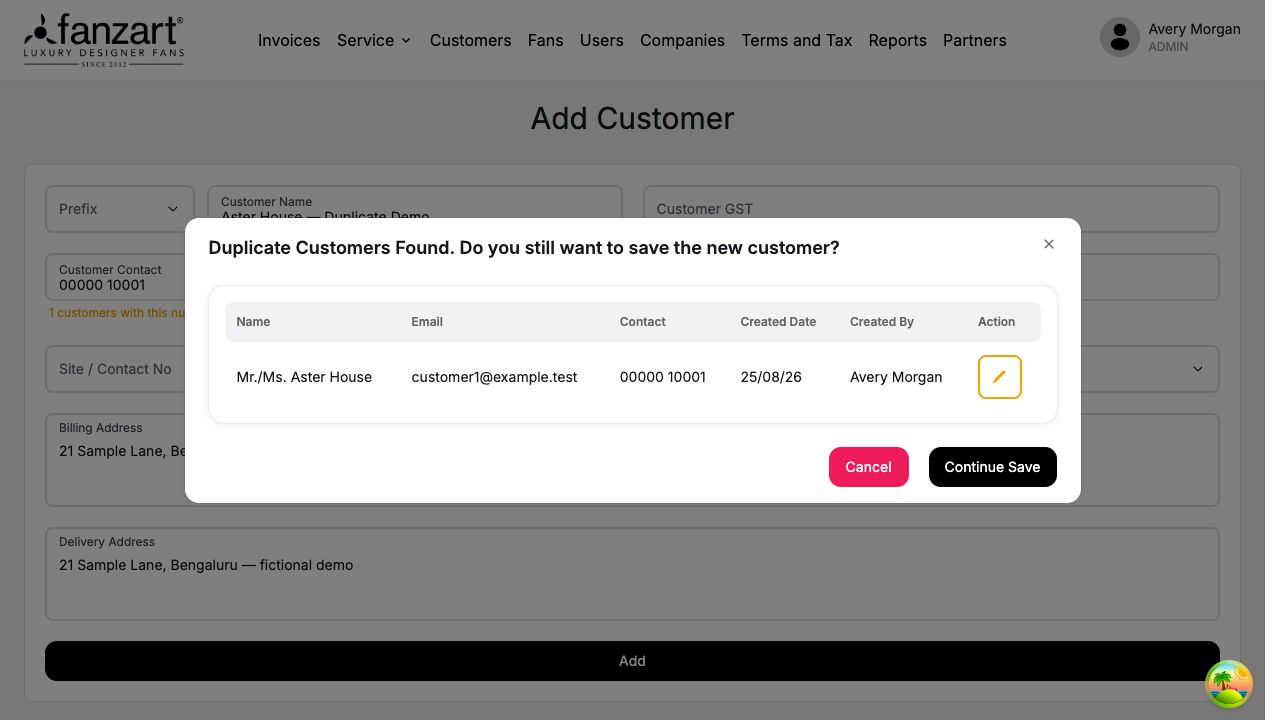
Conflict checks flag possible matches by name, contact number, or email. Matching records show their details, creation date, and creator; phone normalization helps identify numbers entered in different formats. Staff can inspect an existing record, cancel, or deliberately continue saving a new customer.
Overlapping phone or email details within the central workspace or across partners can also notify administrators, bringing potential duplication to the people responsible for review.
04 / Franchises & access
One platform, with the right workspace for each team.
Each partner signs into its own workspace, with customer and invoice records kept within that business context. Company details and branding support its documents. Central operations has additional service, company, reporting, and partner tools, while roles govern the actions available to each user.
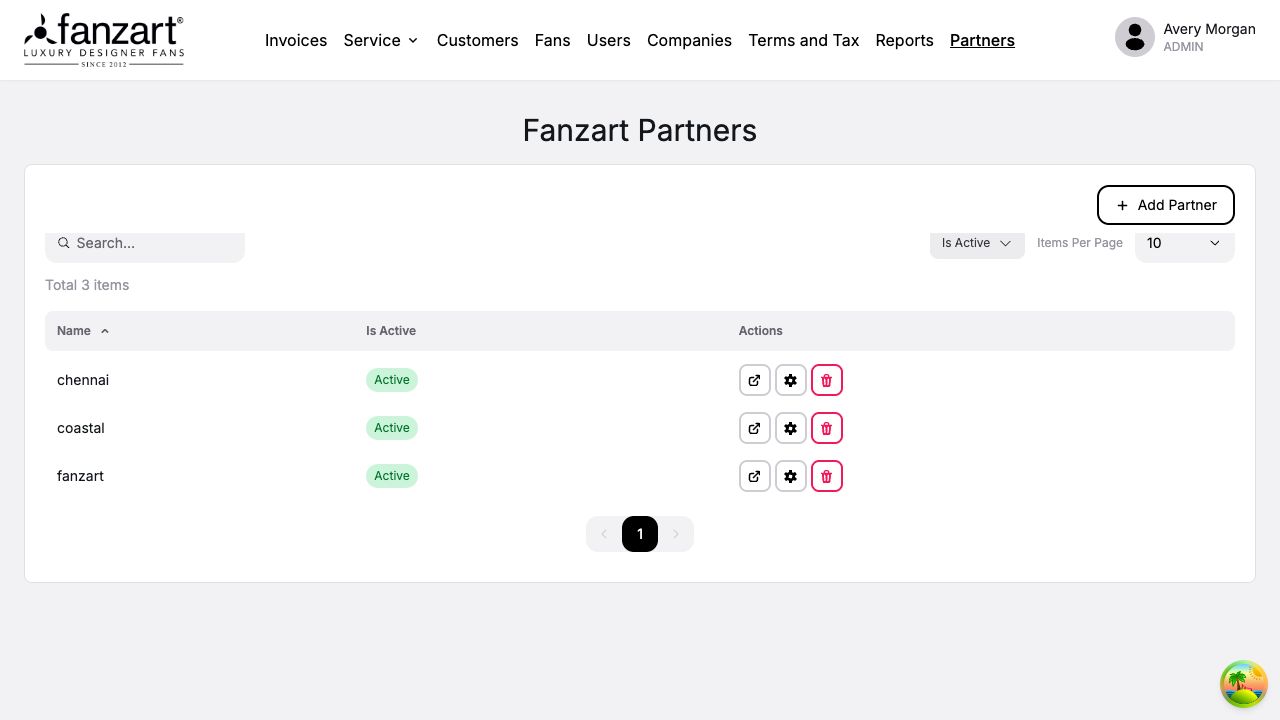
Make partner administration part of the platform.
Administrators can create, deactivate, and restore partner workspaces. Settings control whether HSN product classification codes appear in the fan table and invoice PDF and Excel exports. Downloadable reports provide another way to review activity beyond individual records.
05 / Beyond the invoice
Give after-sales service a record of its own.
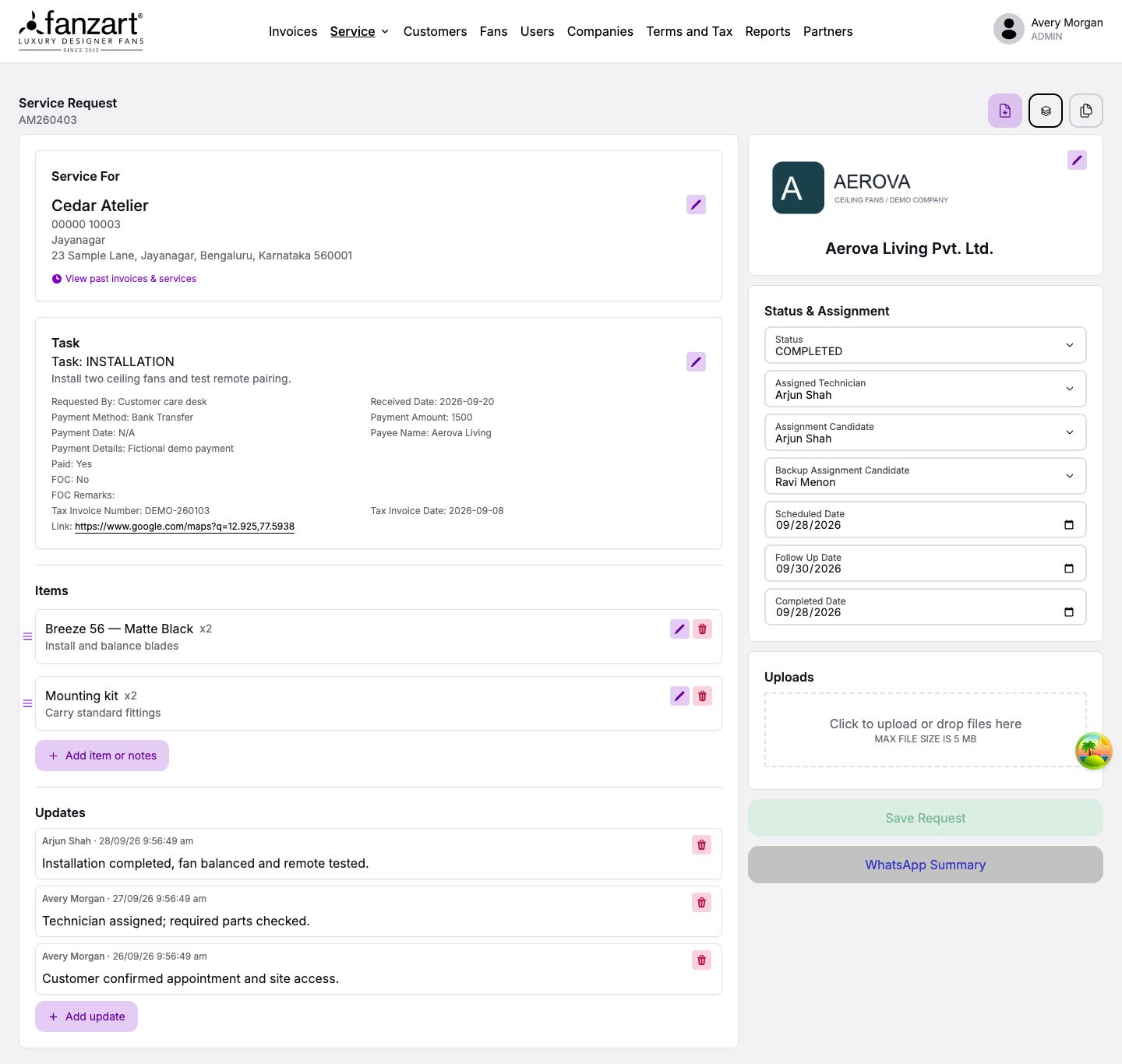
Installation, maintenance, and follow-up need coordination after the sale. A service request connects the customer and company to a task, address, contact, and the fan models and quantities involved. Item notes, uploads, payment information, and scheduled, completed, and follow-up dates keep the job’s context together.
Assignment links the request to a technician account and their mobile workspace. The office manages scheduling and status from the portal; the technician sees their assigned jobs in a focused interface in the field.
Job progress and payment details are tracked separately. A request can record the amount, payment method, paid status, and follow-up date, giving the office a way to review the commercial side alongside the visit. A completed task and its payment information remain distinct parts of the record.
Keep the field update attached to the job.
Technicians can post messages with photos, video, or audio. Named, timestamped updates bring field evidence into the office’s service record. Audio and video can include a transcript and English translation, with processing and failure states visible. The mobile interface supports multiple languages.
Scan the workload by day, not one job at a time.
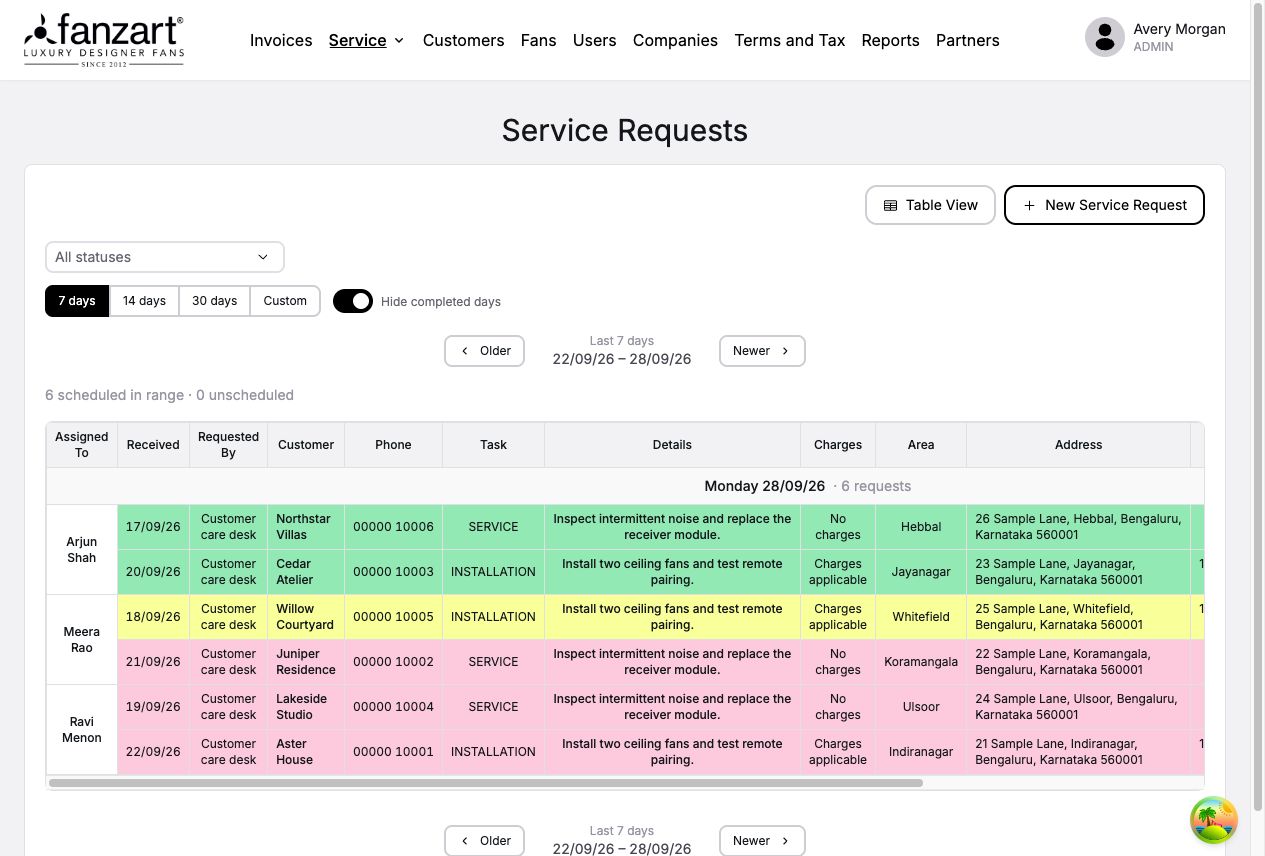
The grouped view organizes requests by scheduled day and assignment label, with unscheduled work in a separate group. Date ranges, status filters, and a control to hide all-completed days help focus the review. Desktop tables adapt to cards on smaller screens.
Grouping labels support office planning; the assigned technician account determines which jobs appear in the mobile app.
Customer history remains available from the grouped view, so reviewing the workload can lead directly into the context of a particular job.
06 / A record of change
Know what changed, and who changed it.
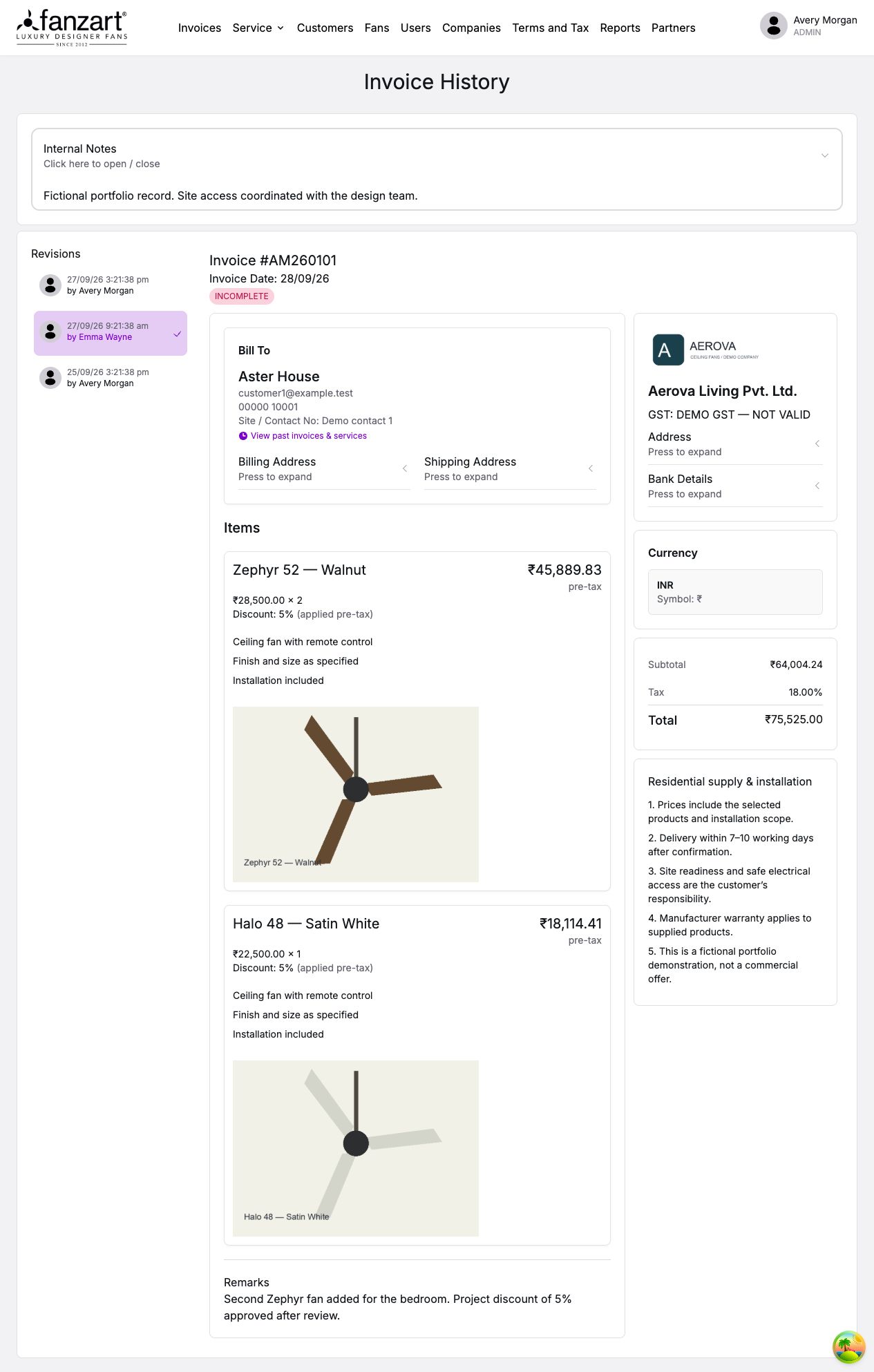
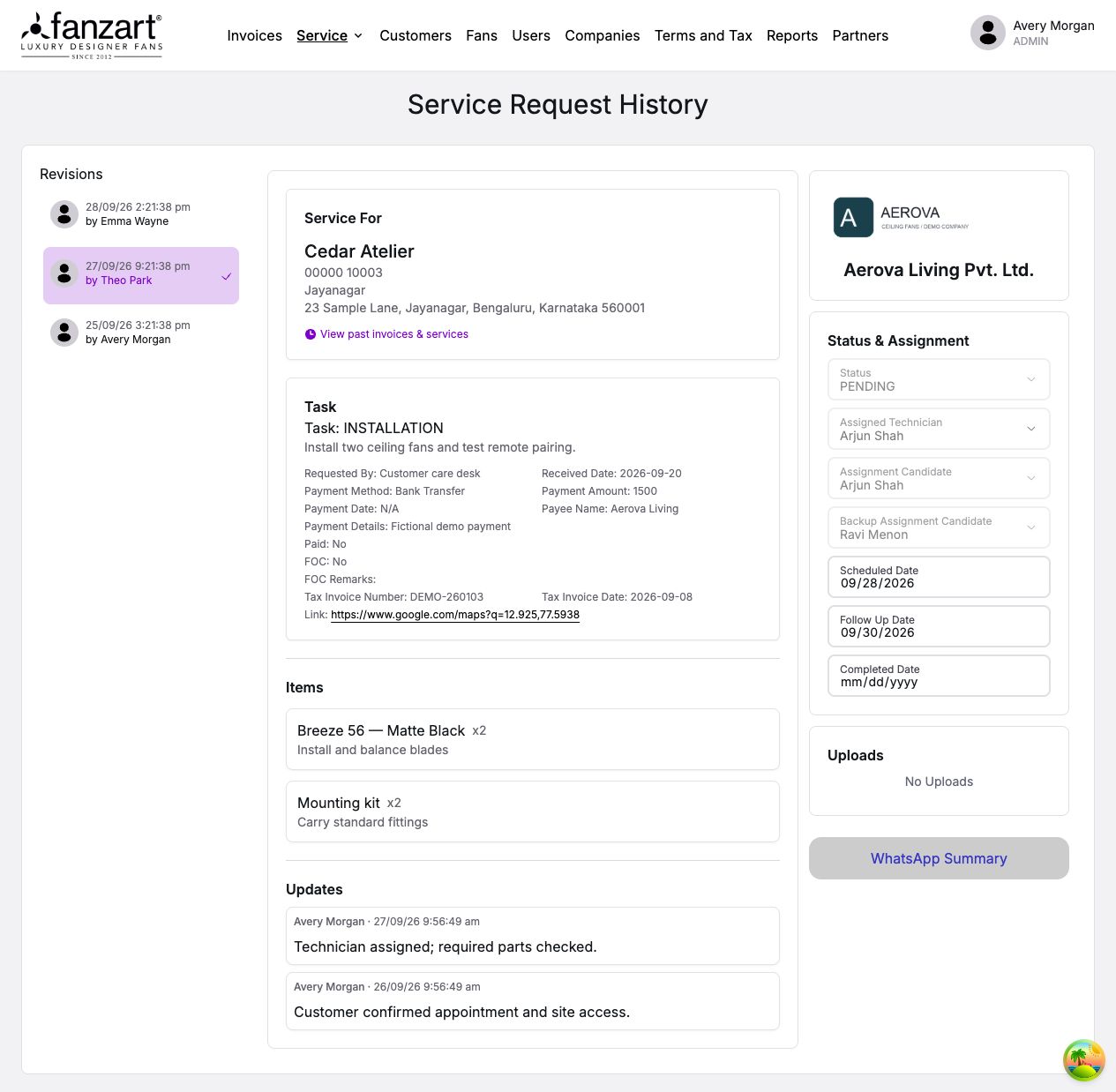
Invoice and service-request timelines identify the date and user behind each revision. Selecting an entry opens an earlier version as a read-only view, giving staff context when an amount, appointment, assignment, or status has changed.
An earlier request can explain the assignment before a job was marked complete. An invoice revision can show the price and discount entered at that point. Staff inspect those details in the familiar record view, with the timeline alongside it.
Customer edits are versioned too, so older invoices can retain the information they originally referenced.
07 / Planning & field visibility
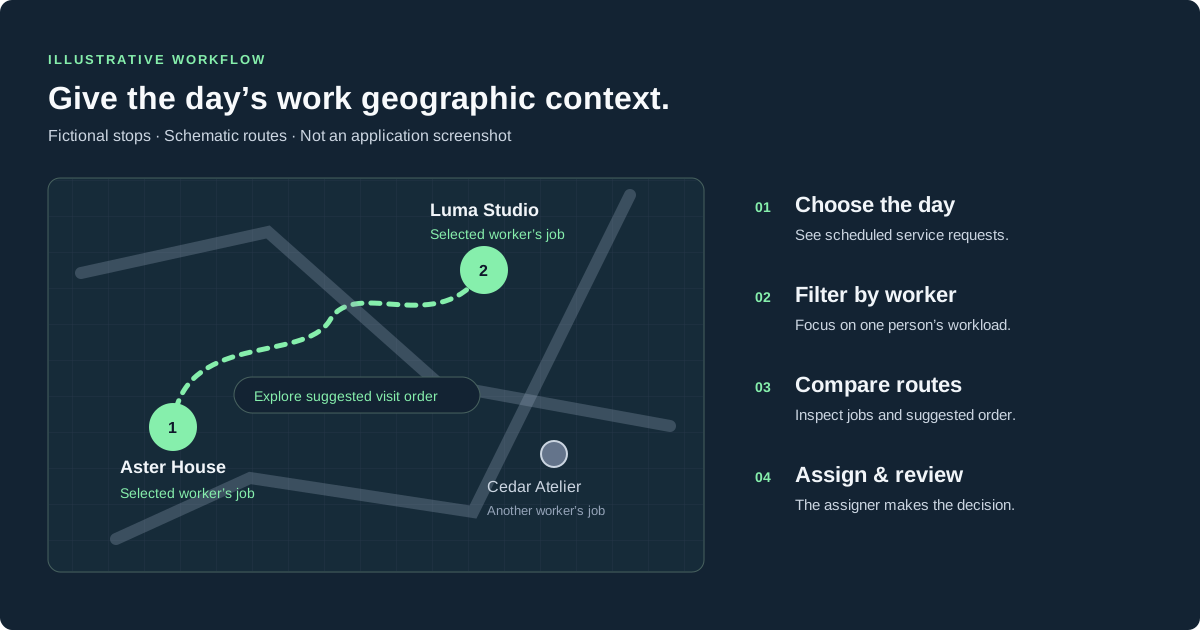
A day’s work makes more sense on a map.
The service map plots a day’s requests, with worker filters, job details, and route tools to explore a suggested visit order. Jobs that cannot be located remain in an unmapped list. Geography supports planning; the assigner decides who handles a request and when.
Track reported locations separately.
A separate, restricted Technician Map shows the latest reported positions and recorded day trails from the Android tracking app alongside scheduled jobs. Tracking requires the user’s consent, and viewing location data has additional access restrictions.
Timestamps and stale-position indicators distinguish recent reports from older ones when a phone stops reporting. Job pins represent service addresses; recorded stops and nearby jobs support review, without proving a visit was completed.
08 / People & coordination
Give people the access and signals their work needs.
Staff work with permitted sales records, assigners coordinate central service work, managers manage accounts, and administrators handle central configuration and partners. The Partner role belongs to partner workspaces; technicians use assigned jobs and field-update tools.
Roles can be combined, while record scope and workspace boundaries still apply. Profiles hold contact details, active or terminated status, and mobile interface language. Sensitive technician-location access has further restrictions.
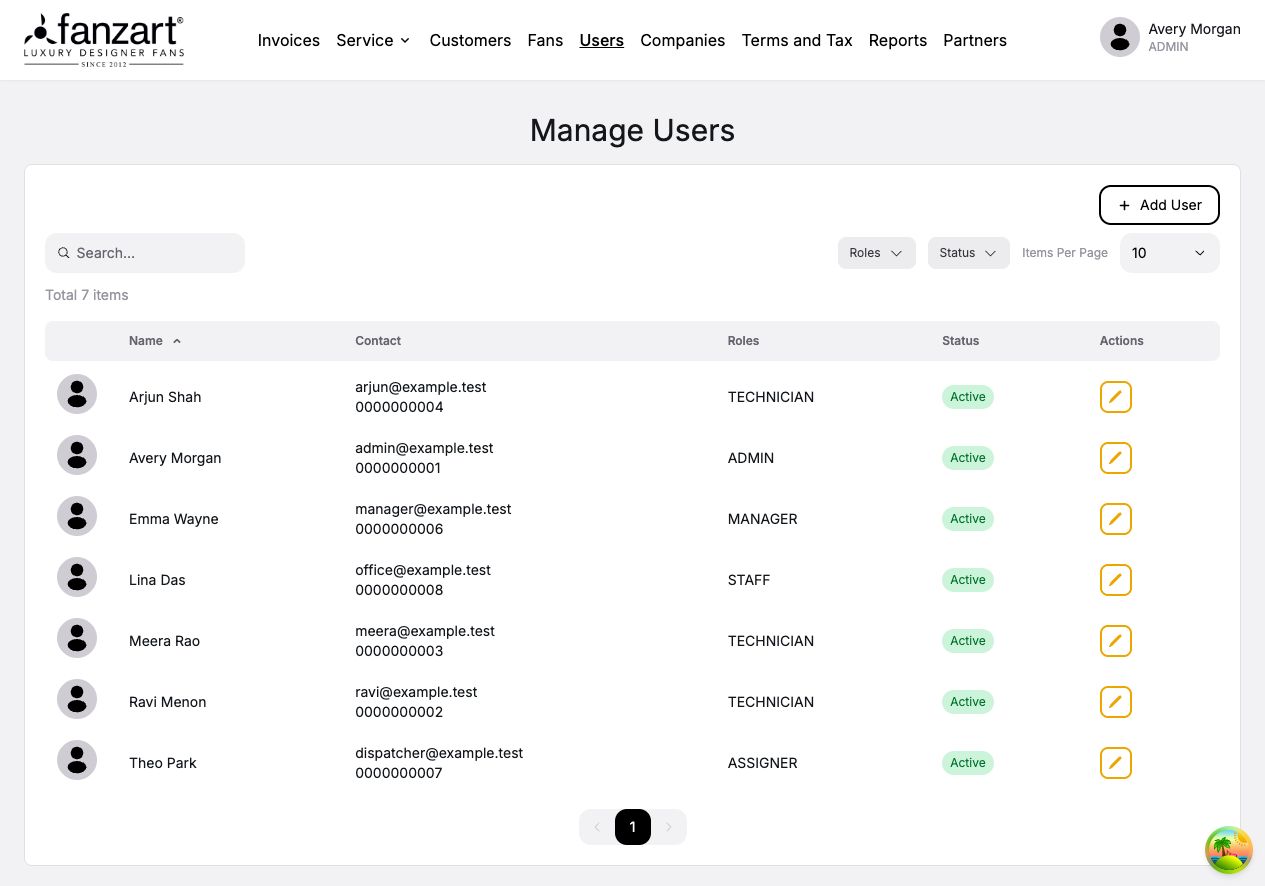
Bring the next action to the right person.
New service requests entered outside the assignment team notify assigners and configured recipients. Changes by another user can notify the original request creator, while central daily summaries highlight scheduled jobs and older pending work.
Customer notices bring duplicate concerns to administrators. Central customer edits by someone other than the original creator can also trigger a notice. Each message provides context and a route back to the record for follow-up.
09 / The foundation
Build around the relationships the business already has.
The portal uses Next.js and TypeScript, a Spring Boot API, and MySQL. Shared relationships connect customers and companies to invoices, then service requests, technicians, schedules, and updates. The mobile app uses those same service records.
The same service record underpins the office form, revision history, and technician view. A scheduling change and a mobile update therefore refer to one job. Additional views can show different aspects of the work while keeping its customer, assignment, and progress connected.
The API scopes records to the workspace and enforces permissions on the server. Searchable records, histories, predictable forms, and consistent document output support a workflow the team can follow and maintain.
The takeaway
Start with the repeated task. Connect the work around it.
A focused invoice workflow became a foundation for customer history, franchise operations, and service coordination. The useful changes are concrete: reuse information, calculate consistently, and connect related work. A sales record gives the service team context; a field update becomes visible to the office.
The operational portal remains private. This case study shares the product’s design through fictional demonstration records.
If your team is working around spreadsheets and disconnected tools, tell us where the repetition starts. We can discuss a practical first workflow and how it could connect to the rest of your business.